Petro on the Go, Inc.
How Customers Opt In to Text Messages
Last updated: September 28, 2026
Petro on the Go, Inc. sends transactional order and account notifications by text message only to existing customers who opt in inside the Petro On The Go app — our iOS app and our web app at app.petroonthego.com. Customers opt in by checking an optional checkbox or turning on a setting in the app. We do not send marketing or promotional text messages. Full program terms: Text Messaging Terms and Privacy Notice.
1. Where Customers Opt In
Customers opt in only inside the Petro On The Go app, in any of these places:
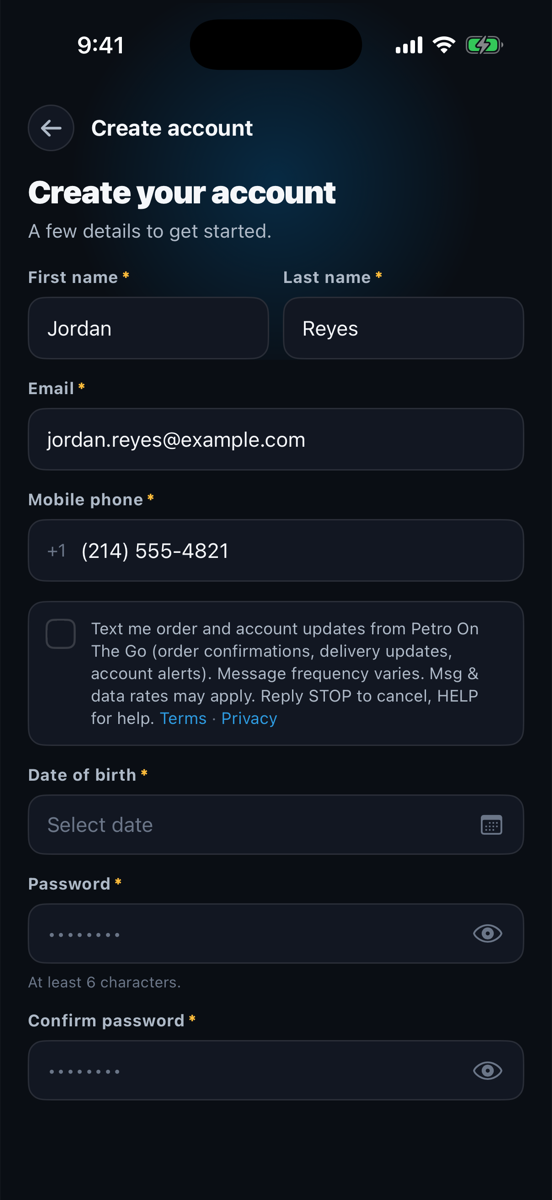
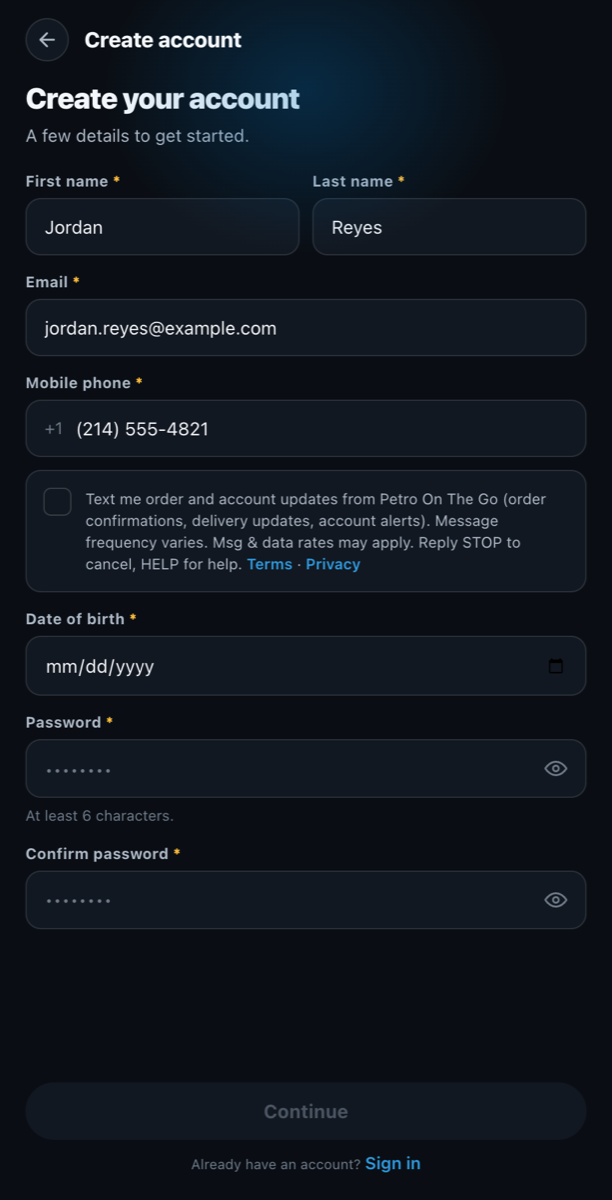
- At account sign-up. A checkbox appears directly beneath the "Mobile phone" field on the sign-up screen.
- During onboarding or in Edit Account. The same checkbox appears beneath the "Mobile phone" field whenever a customer enters or changes their mobile number.
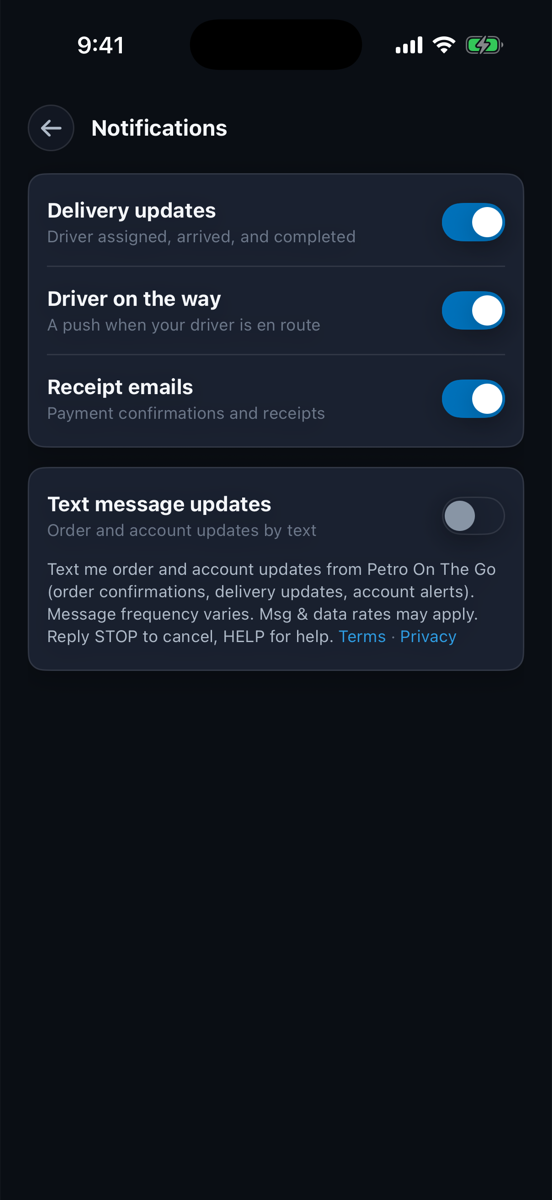
- Anytime in Profile. Customers can turn text messages on or off with the Profile → "Text message updates" toggle.
The checkbox is optional and unchecked by default. Customers must check it themselves to opt in. Opting in is not required to create an account, place an order, or buy anything.
2. The Consent Step
This is a replica of the consent step on the sign-up screen, with the exact wording customers see. It is an illustration only, not a working form.
Shown unchecked, as customers first see it. The same checkbox and wording appear in the iOS app and the web app.
Checkbox text, exactly as shown in the app:
"Text me order and account updates from Petro On The Go (order confirmations, delivery updates, account alerts). Message frequency varies. Msg & data rates may apply. Reply STOP to cancel, HELP for help. Terms · Privacy"
3. What Happens After Opting In
Right after a customer opts in, we send one confirmation text:
"Petro On The Go: You're signed up for order and account text alerts. Msg frequency varies. Msg & data rates may apply. Reply HELP for help, STOP to cancel."
After that, we send only messages about the customer's own orders and account, such as order confirmations, delivery updates, and account alerts.
4. Opting Out and Getting Help
- Reply STOP to any message to cancel. Customers can also turn off Profile → "Text message updates" in the app.
- Reply HELP for help, or email support@petroonthego.com.
- Details are in our Text Messaging Terms and Privacy Notice.
5. Consent Records
- For every opt-in, we record the time, the source (sign-up, onboarding, Edit Account, or the Profile toggle), and the version of the consent wording shown.
6. Screenshots
Screenshots of the consent step in the Petro On The Go app.